

Emoji Input Validation
Author: Vicky Adi Firmansyah (23109504)
Date: March 25, 2025
Category: Frontend Development
In the development of input features with character length validation, emoji can cause problems because each emoji consists of multiple characters in Unicode encoding. This can confuse users if the maximum validation is based on the number of Unicode characters, not the number of visible characters.
The Problem
Section titled “The Problem”Character Count Mismatch
Section titled “Character Count Mismatch”When users enter emojis, the visible character count doesn’t match the actual Unicode character count, causing validation failures that confuse users.
Example Scenario
Section titled “Example Scenario”Setting a maximum input limit of 7 characters. If the user enters the emoji ❤️ (love), which is actually two characters in Unicode, then when the user types four love emojis (❤️❤️❤️❤️), the calculated Unicode length could be more than 7, causing validation to fail even though visually the user only sees four emojis.
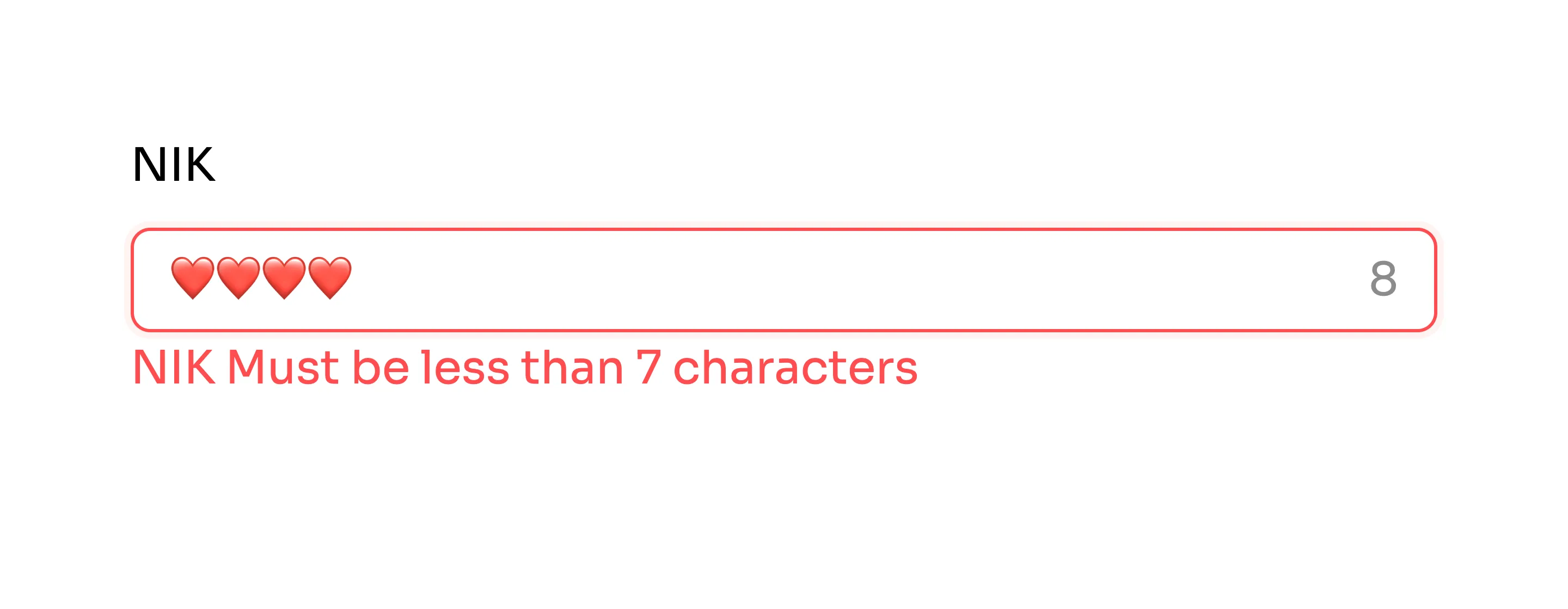 The image above shows an example of an input form using Ant Design with a maximum validation of 7 characters.
Root Causes
Section titled “Root Causes”1. UTF-16 Code Units
Section titled “1. UTF-16 Code Units”The .length function in JavaScript or other languages counts based on UTF-16 code units (MDN JavaScript Reference), not the number of characters visible to the user.
Example:
"❤️".length // Returns 2 (UTF-16 code units)// But users see it as 1 character2. Emoji Complexity
Section titled “2. Emoji Complexity”Emoji in Unicode are often made up of multiple code points and some emojis can have modifiers, such as skin color variations, that increase the number of characters in the encoding.
Examples:
- Base emoji:
❤️= 2 code units - With modifier:
👋🏻= 4 code units (hand + skin tone) - Complex emoji:
👨👩👧👦= 11 code units (family emoji)
Solution & Implementation
Section titled “Solution & Implementation”Recommended Solution: Using Grapheme Clusters
Section titled “Recommended Solution: Using Grapheme Clusters”Instead of using .length, we can use methods that understand grapheme clusters, such as Intl.Segmenter in JavaScript.
function getVisibleCharacterCount(text: string) { return [...new Intl.Segmenter().segment(text)].length;}How It Works:
Intl.Segmenterproperly segments text into grapheme clusters- Grapheme clusters represent what users perceive as single characters
- Works correctly with emojis, including those with modifiers
- Returns accurate count that matches user expectations
Browser Support:
- ✅ Modern browsers support
Intl.Segmenter - ⚠️ For older browsers, consider using a polyfill or alternative library
- 📚 Check compatibility: Can I Use - Intl.Segmenter
Form Implementation: React Ant Design Integration
Section titled “Form Implementation: React Ant Design Integration”In this example, we are using React Ant Design Form. Validation can’t be used directly, so we need to add it to the rules in Form.Item using a validator.
<Form.Item name="nik" label="NIK" rules={[ { validator: (_, value) => { const NIK_MAX_LENGTH = 7 if (getVisibleCharacterCount(value) > NIK_MAX_LENGTH) { return Promise.reject(new Error(`NIK Must be less than ${NIK_MAX_LENGTH} characters`)); } return Promise.resolve(); }, }, ]}> <Input /></Form.Item>Implementation Details:
-
Custom Validator
- The validator function uses our
getVisibleCharacterCountfunction - Properly counts visible characters including emojis
- Validates against the maximum length
- The validator function uses our
-
Error Handling
- Returns
Promise.rejectwith a clear error message when limit exceeded - Returns
Promise.resolve()when validation passes - User-friendly error messages
- Returns
Before vs After Comparison
Section titled “Before vs After Comparison”Before (Problematic)
Section titled “Before (Problematic)”
Using .length validation causes issues with emoji input, where visible characters don’t match Unicode character count.
Issues:
- Emoji counted incorrectly
- Validation fails unexpectedly
- Confusing user experience
- Users can’t enter expected amount of emojis
After (Fixed)
Section titled “After (Fixed)”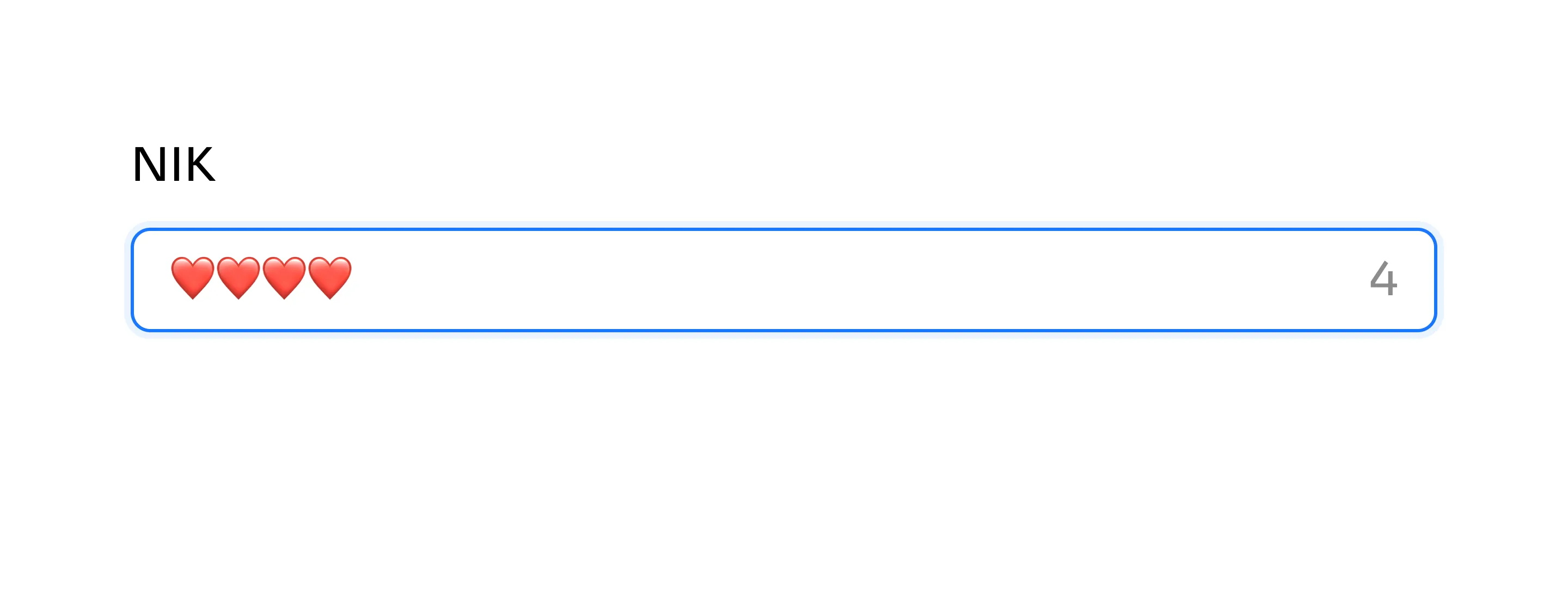
Using Intl.Segmenter provides accurate character counting that matches user expectations.
Benefits:
- ✅ Accurate emoji counting
- ✅ Intuitive validation
- ✅ Better user experience
- ✅ Predictable behavior
Key Takeaways
Section titled “Key Takeaways”Problem Summary:
- Using
.lengthto validate input with emoji can be problematic due to Unicode encoding complexity - Emoji consist of multiple UTF-16 code units but appear as single characters
- This mismatch confuses users and causes unexpected validation failures
Solution:
- ✅ With
Intl.Segmenterwe can count the number of characters visible to the user more accurately - ✅ This approach makes validation more intuitive and aligns with user expectations
- ✅ Easy to implement with modern JavaScript APIs
- ✅ Works well with popular form libraries like Ant Design
Benefits:
- Improved user experience
- Accurate character counting
- Better form validation
- Predictable behavior across different input types
Additional Resources
Section titled “Additional Resources”Unicode References:
- Emoji Length Documentation - Understanding emoji character counts
- MDN JavaScript String Reference - UTF-16 and Unicode details
Browser Support:
- Intl.Segmenter Browser Support - Check browser compatibility
- Intl.Segmenter MDN - API documentation
Alternative Libraries:
- grapheme-splitter - Polyfill for older browsers
- runes - Unicode-aware string operations